Professional Audio Editing Made Simple

AdaptiveNova Point is a complete digital audio workstation (DAW) designed for professionals and enthusiasts alike. With an intuitive interface and powerful tools, you can record, edit, mix, and master audio with precision and creativity.

Whether you're producing music, editing podcasts, restoring old recordings, or creating sound for video, AdaptiveNova Point provides all the tools you need in one streamlined package.

Get Started Today
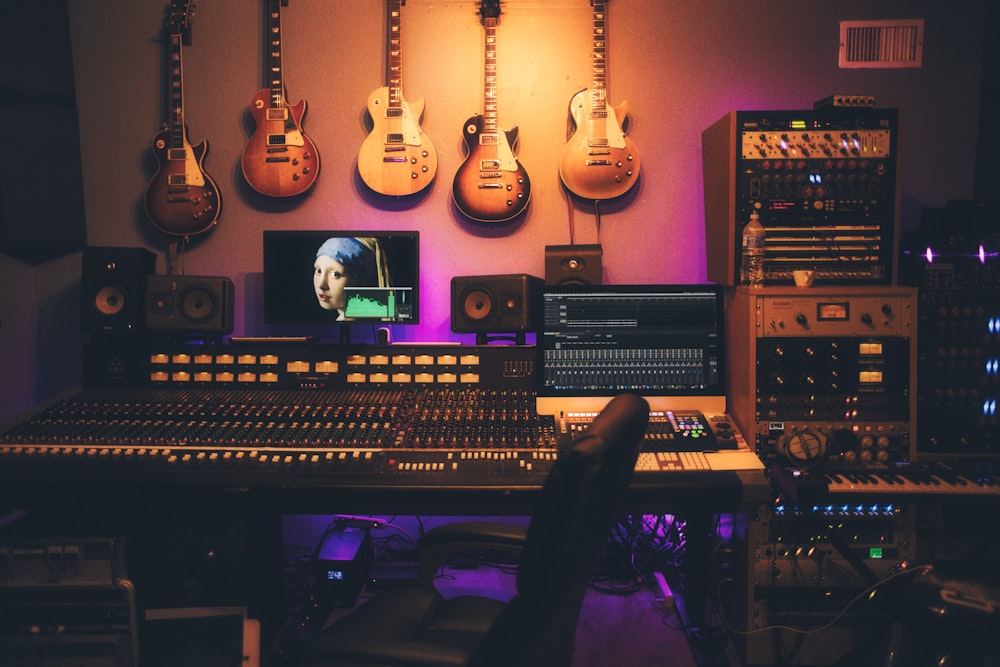
AdaptiveNova Point Audio Editor Interface
Audio editing workstation

About AdaptiveNova Point

AdaptiveNova Point is the result of over a decade of development by audio engineers and software developers. Our mission is to provide professional-grade audio editing capabilities at an affordable price, breaking down barriers for creators everywhere.

Unlike subscription-based competitors, AdaptiveNova Point offers a one-time purchase with lifetime updates and support. We believe in empowering creators with tools they can own forever.

The software supports all major audio formats (WAV, MP3, FLAC, AAC, OGG, AIFF) and offers 32-bit/384kHz recording and playback for the highest fidelity. With unlimited tracks, non-destructive editing, and real-time effects processing, AdaptiveNova Point can handle projects of any complexity.

Explore Features

Powerful Features

Advanced Mixing Console

Professional mixing console with channel strips, sends, inserts, and grouping. Features parametric EQ, dynamics processing, and comprehensive metering on every channel.

Spectral Editing

Edit audio in the frequency domain with our spectral display. Visually identify and remove unwanted noises, hums, and clicks with surgical precision.

AI-Powered Tools

Smart noise reduction, automatic vocal tuning, music remixing, and mastering assistance powered by machine learning algorithms.

VST Plugin Support

Full compatibility with VST2, VST3, and AU plugins. Includes a curated collection of 50+ high-quality effects and instruments.

Batch Processing

Apply effects and conversions to multiple files simultaneously. Create custom processing chains for efficient workflow automation.

Multi-Channel Support

Work with surround sound formats up to 7.1.2 Dolby Atmos. Includes binaural rendering for headphone monitoring of spatial audio.

Adaptive Nova Point

AdaptiveNova Point features a clean, intuitive interface designed for maximum productivity. Every element is thoughtfully placed to streamline your workflow while maintaining professional-grade capabilities.

AdaptiveNova Point Main Interface

Key Interface Components

Project Timeline

The central timeline where you arrange and edit audio clips across multiple tracks. Features magnetic snapping, grouping, and comprehensive zoom controls for precise editing.

Mixer Panel

Professional mixer with channel strips for each track. Includes faders, pan controls, mute/solo buttons, and insert slots for effects. Supports submix groups and bus routing.

Toolbar & Toolbox

Context-sensitive toolbar with selection, cut, fade, and time-stretch tools. Quick access to frequently used functions with customizable keyboard shortcuts.

Waveform Display

High-resolution waveform visualization with adjustable zoom levels. Switch between standard waveform view and spectral frequency display for detailed audio analysis.

Effects Rack

Dedicated panel for managing audio effects and plugins. Organize your effects chain, adjust parameters in real-time, and save custom presets for future use.

Transport Controls

Professional transport panel with play, record, pause, stop, loop, and punch-in/out controls. Includes tempo and time signature settings for music production.

Quick Start Tour

Get familiar with AdaptiveNova Point's interface in just a few steps:

1

Import Audio

Drag and drop audio files directly onto the timeline or use the import dialog. Supports all major formats including WAV, MP3, FLAC, and AIFF.

2

Arrange & Edit

Use the intuitive editing tools to cut, trim, fade, and arrange your audio clips. Non-destructive editing means you can always revert changes.

3

Apply Effects

Browse the built-in effects library or load your favorite VST plugins. Real-time preview lets you hear changes immediately.

4

Mix & Master

Adjust levels, panning, and EQ on the mixer panel. Use mastering tools to polish your final output for any distribution format.

5

Export

Choose from dozens of export formats and presets. Batch export multiple files or upload directly to streaming platforms.

Software Overview

Mixing Console
Spectral Editor
Plugin Interface
Waveform Display

Complete Audio Production Environment

AdaptiveNova Point provides a comprehensive suite of tools for every stage of audio production. From initial recording to final mastering, our software streamlines your workflow while maintaining the highest quality standards.

Professional Recording

Record with sample rates up to 384kHz and 32-bit depth. Supports ASIO, Core Audio, and WASAPI drivers for lowest latency monitoring.

Non-Destructive Editing

All edits are non-destructive, allowing you to experiment freely without compromising your original recordings. Unlimited undo/redo history.

Advanced Automation

Comprehensive automation system for volume, pan, and all plugin parameters. Draw curves with bezier handles or record in real-time.

View Pricing Options

What Our Users Say

"AdaptiveNova Point transformed my podcast production. The noise reduction tools are incredible and cut my editing time in half. The spectral editing feature helped me clean up interviews recorded in noisy environments."
Sarah Johnson

Sarah Johnson

Podcast Producer, "Tech Today"

"As a musician on a budget, AdaptiveNova Point gives me professional tools without the professional price tag. The VST support is fantastic! I've replaced $2000 worth of software with this single purchase."
Marcus Chen

Marcus Chen

Independent Musician

"I've tried many audio editors in my 15-year career, but AdaptiveNova Point's intuitive interface combined with its powerful features makes it my top choice. The batch processing saves me hours each week."
Elena Rodriguez

Elena Rodriguez

Audio Engineer, SoundSphere Studios

Choose Your License

Single User

$74.99 NZD/lifetime

Perfect for individual creators and hobbyists

  • All editing features included
  • 1 user license
  • Lifetime updates
  • Standard support
  • 50+ VST effects included
  • Non-commercial use
Buy Now

Both licenses are one-time payments with lifetime access. No subscriptions, no hidden fees. After purchase, you'll receive a license key and download link via email.

Frequently Asked Questions

What operating systems does AdaptiveNova Point support?
AdaptiveNova Point is available for Windows 10/11 (64-bit), macOS 10.15+, and Ubuntu 20.04 LTS or later. The software is optimized for each platform to ensure the best performance.
Do I need any special hardware to run AdaptiveNova Point?
AdaptiveNova Point runs on most modern computers. Minimum requirements: 4GB RAM, 2GB free disk space, and a multi-core processor. For professional audio work, we recommend 8GB+ RAM, an SSD, and an audio interface with ASIO/Core Audio drivers for lowest latency.
What file formats does AdaptiveNova Point support?
AdaptiveNova Point supports all major audio formats including WAV, AIFF, MP3, FLAC, AAC, OGG, WMA, and more. It can handle bit depths from 16-bit to 32-bit float and sample rates from 8kHz to 384kHz.
Can I use AdaptiveNova Point for commercial projects?
Yes, the Dual User license allows commercial use. The Single User license is for personal/non-commercial projects only. Both licenses grant you perpetual rights to the version you purchase, plus all future updates.
How do updates work with the lifetime license?
All license holders receive free updates for the lifetime of the product. This includes bug fixes, performance improvements, and new features. Major version upgrades (e.g., AdaptiveNova Point 2.0) may require an upgrade fee at a discounted rate.
What is your refund policy?
We offer a 30-day money-back guarantee. If you're not satisfied with AdaptiveNova Point for any reason, contact our support team within 30 days of purchase for a full refund, no questions asked.